

»zidCode«:
Your ZOLLER presetting and measuring machine requires one of the following »pilot« device software versions: »pilot 4.0«, »pilot 3.0« or »pilot 2 mT« version 1.15.0.0 or later, or »pilot 1.0« version 1.15.13.0 or later, and a label printer.
»zidCode 4.0«:
Your ZOLLER presetting and measuring machine requires »pilot 4.0« device software version 1.18.23 or higher, a network connection, and a post-processor with the appropriate output format to transfer your tool data wirelessly to your machine tool.
»zidCode«:
USB cable for keyboard simulation or USB flash drive for simulation + serial (RS-232) or Ethernet for data transfer. Stipulations for machines with FANUC controls: CNC machine with an available network connection (no network switch), FANUC control with FOCAS interface, control types: 30i / 31i / Oi-F / 32i
»zidCode 4.0«:
Your CNC machine must be network-capable. A network connection and power connection must be provided on the machine for »zidCode 4.0«. Either the CNC machine must be integrated into the production network, or a free network port must be available.
»zidCode«:
We estimate about one hour per machine. In addition, one day is required for training and, if necessary, one day for an update of the ZOLLER presetting and measuring machine.
»zidCode 4.0«:
About half a day per machine. In addition, one to two days are required for training and, if necessary, one day for updating the ZOLLER presetting and measuring machine.
»zidCode«:
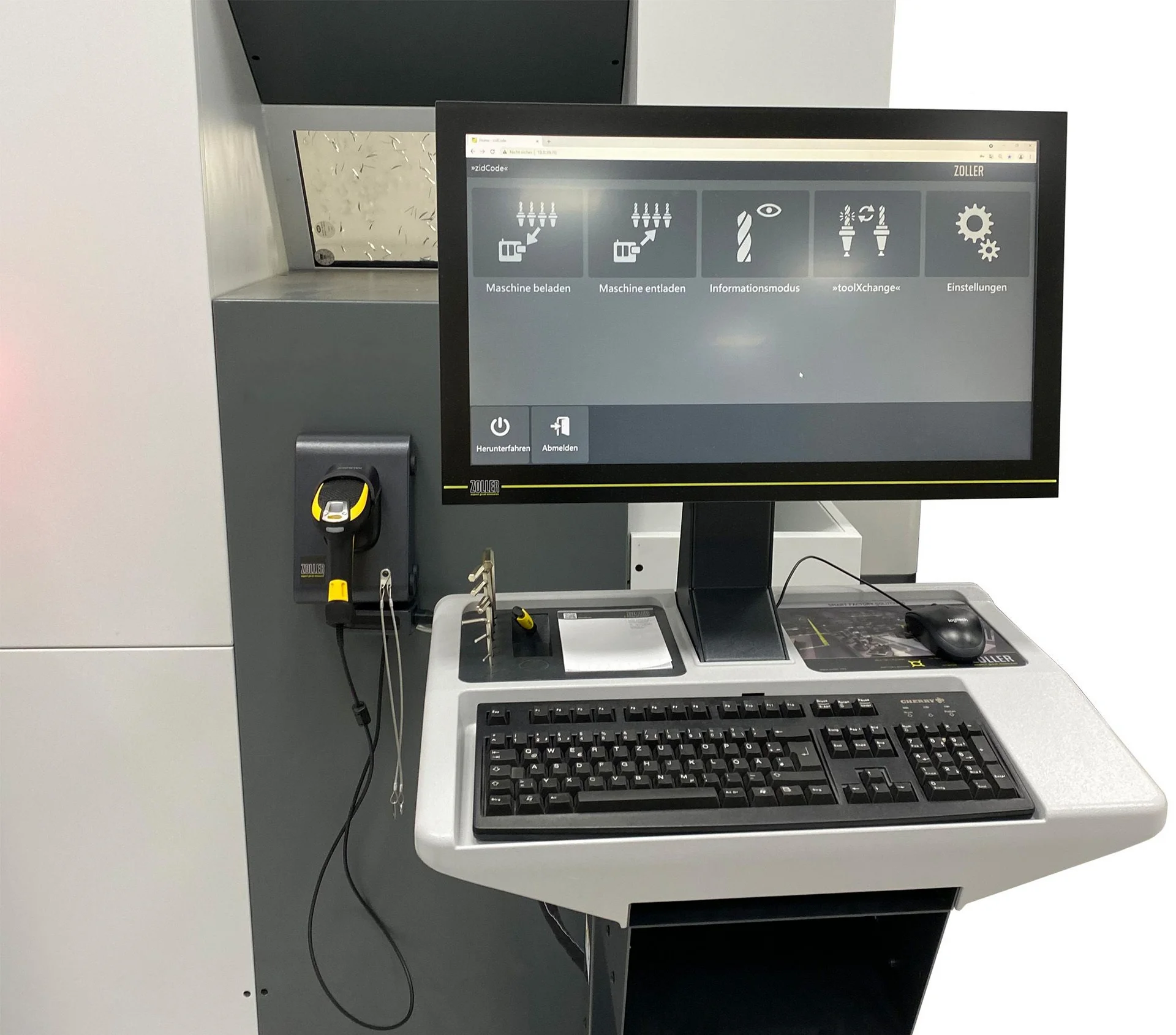
If you don’t want to work via a network. With »zidCode«, you can eliminate typing errors at the machine. Machine operators scan the code, and the tool data is transmitted correctly to the machine control.
»zidCode« 4.0«:
If you want to or are able to work via a network and want to benefit from even greater efficiency in the production process. »zidCode« 4.0« offers an even broader range of capabilities in terms of networking, process optimization, and efficiency improvements.
»zidCode«:
Simply connect it directly to the machine via USB, serial, or network cable. Proper configuration ensures that »zidCode« functions correctly.
»zidCode 4.0«:
For this, the machine should be on the same network as the »zidCode 4.«0 unit and your ZOLLER presetting and measuring machine. A network connection to the production network on the CNC machine is required for this. If the machine is on a isolated network, »zidCode 4.0« should also be able to communicate with two networks using an optional extension.
»zidCode«:
None. The corresponding QR code for data transfer is printed on a label at the ZOLLER presetting and measuring machine. You can either clip these labels onto your tool holders using our ZOLLER Tooltag holders or affix the labels directly to the tool.
»zidCode« 4.0«:
All tool holders must be labeled with a unique 2D code. ZOLLER offers the reliable »idLabel« or »idChip« solutions for permanent tool marking. The code is used to identify your tool holder, and the corresponding data is removed from the network. Alternatively, the tool holder can also be marked with a 2D code via laser marking.


Select language
Europe