


 Status display
Status display
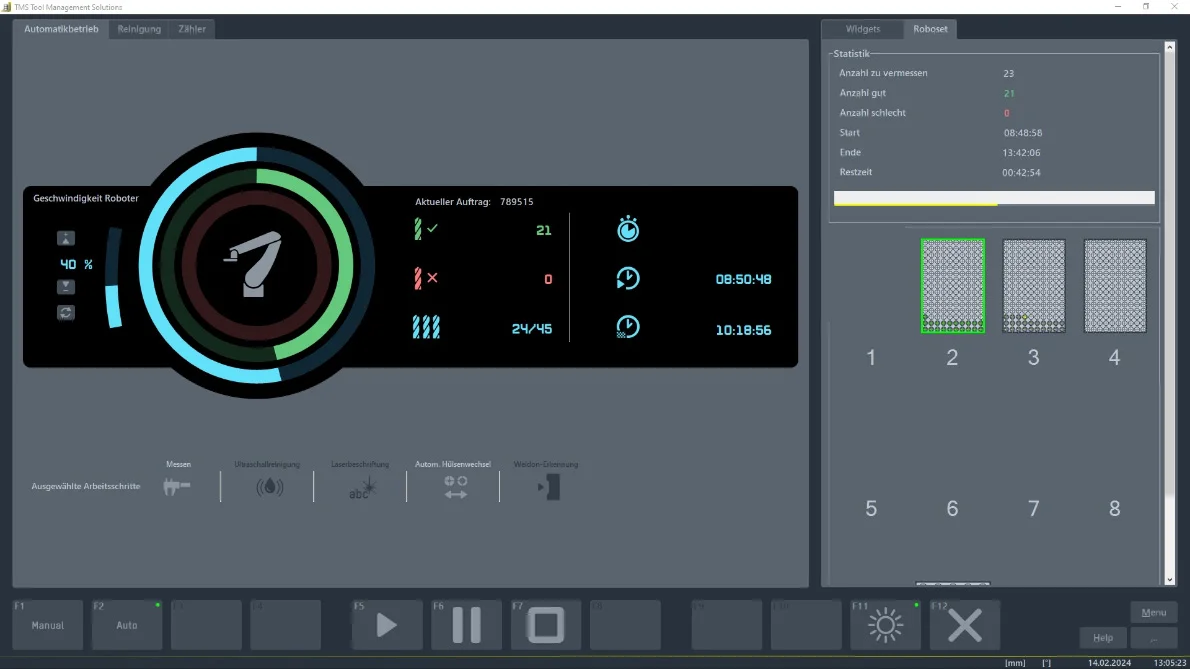
The status display in percent shows how far the current pallet has already been processed. It can also be used to calculate when the tools on the pallet have been measured and can be removed by the operator.
Pallet managementPallet management
The ZOLLER pallet management system defines the placement and parameters. This means that all tools can be measured without further user input and customer-specific pallets can be defined. In addition, the tools are differentiated in the pallet management area and marked with different colors if a tool is out of tolerance, for example.
The status display in percent shows how far the current pallet has already been processed. It can also be used to calculate when the tools on the pallet have been measured and can be removed by the operator.
The ZOLLER pallet management system defines the placement and parameters. This means that all tools can be measured without further user input and customer-specific pallets can be defined. In addition, the tools are differentiated in the pallet management area and marked with different colors if a tool is out of tolerance, for example.
 Cutting edge shape
Cutting edge shape
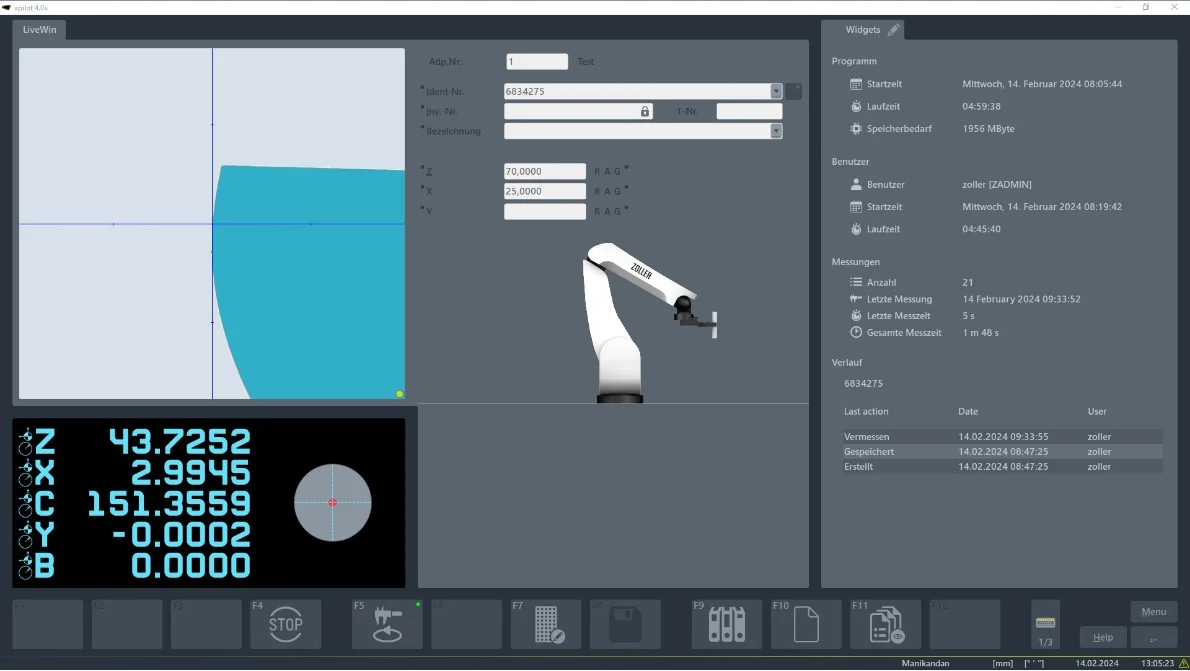
The "Cutting edge shape" field shows an image of the current cutting edge shape that is used for the measurement. This image is only used to visualize and identify the cutting edge shape for the operator. A real assistant that makes the user's work easier.
Axle positionsAxle positions
The axis positions in »pilot 4.0« of the ZOLLER presetting and measuring machines are important reference points that make it possible to check and adjust the exact positioning of the tool or cutting edge. Each axis position represents a specific alignment or position of the tool. By using the axis positions, users can ensure that the tool is correctly positioned and has no deviations, resulting in greater accuracy and efficiency during machining.
Function keysFunction keys
The function keys in »pilot 4.0« from ZOLLER are designed to enable the user to operate the software efficiently and to make it easier to navigate and perform tasks within the software. For example, the function keys can be used to start tool measurement, load tool data and change views.
The "Cutting edge shape" field shows an image of the current cutting edge shape that is used for the measurement. This image is only used to visualize and identify the cutting edge shape for the operator. A real assistant that makes the user's work easier.
The axis positions in »pilot 4.0« of the ZOLLER presetting and measuring machines are important reference points that make it possible to check and adjust the exact positioning of the tool or cutting edge. Each axis position represents a specific alignment or position of the tool. By using the axis positions, users can ensure that the tool is correctly positioned and has no deviations, resulting in greater accuracy and efficiency during machining.
The function keys in »pilot 4.0« from ZOLLER are designed to enable the user to operate the software efficiently and to make it easier to navigate and perform tasks within the software. For example, the function keys can be used to start tool measurement, load tool data and change views.